If you’re working an org with a large managed package, you may have had to debug Apex for a transaction that includes both managed package code and internally developed code. If the transaction is large enough, the managed code may be taking up too much of the debug log and you won’t be able to properly debug.
A method to fix this is to adjust what you are debugging in order to avoid the managed code.
Setup -> Debug Logs -> Select ‘New’ in the User Trace Flags section.
- Click the ‘New Debug Level’ button.
- Set the Apex level to ‘Info’. This will prevent managed package from appearing in the debug logs.
- Save the log level.
- Traced Entity Type should be User.
- Traced Entity Name: Name of the logged in user
- Start Date and Expiration Date can remain the same.
- Debug Levels: The new log level that was created where Apex is set to ‘Info’.
- Click ‘Save’ to start the debug tracing.
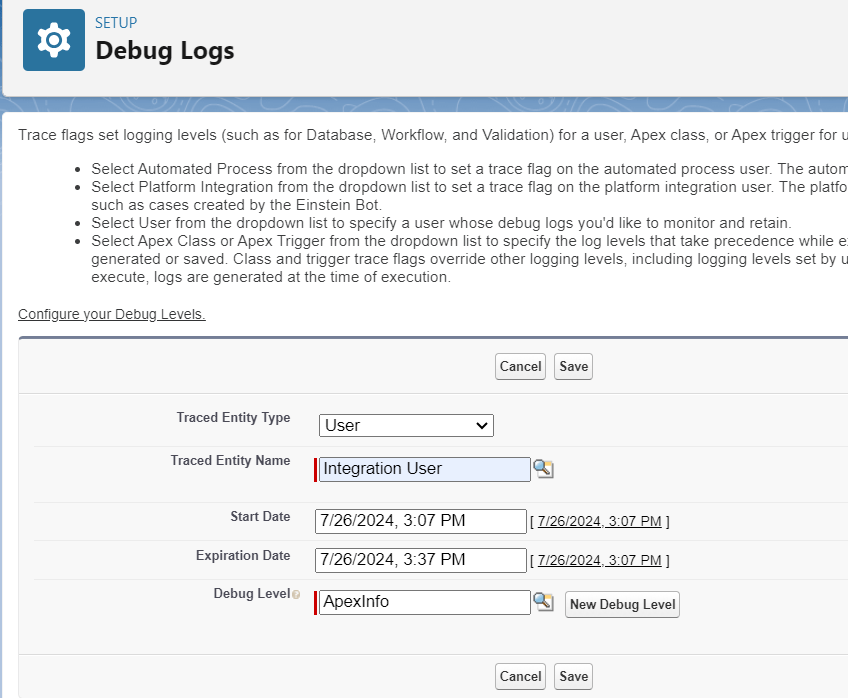
Now since the Apex log level is set to ‘Info’ you probably aren’t going to get the information that you are looking for in you’re logs.
- Back on the debug logs setup page, select ‘New’.
- Create a new debug level with the Apex Code level set to ‘Finer’ or ‘Finest’. In my personal experience I’ve always used ‘Finer’ and this has returned enough detail to debug.
- The rest of the values will depend on what you are trying to debug but if it’s just an apex issue that you are trying to resolve, then set the other log levels to info.
- Save the log level
- On the traced entity type field, select ‘Apex’
- Traced Entity Name: the name of the apex class that is related to the issue.
- If there are multiple classes which are related to the issue that you are trying to debug, then a new log can be created for each of these classes.
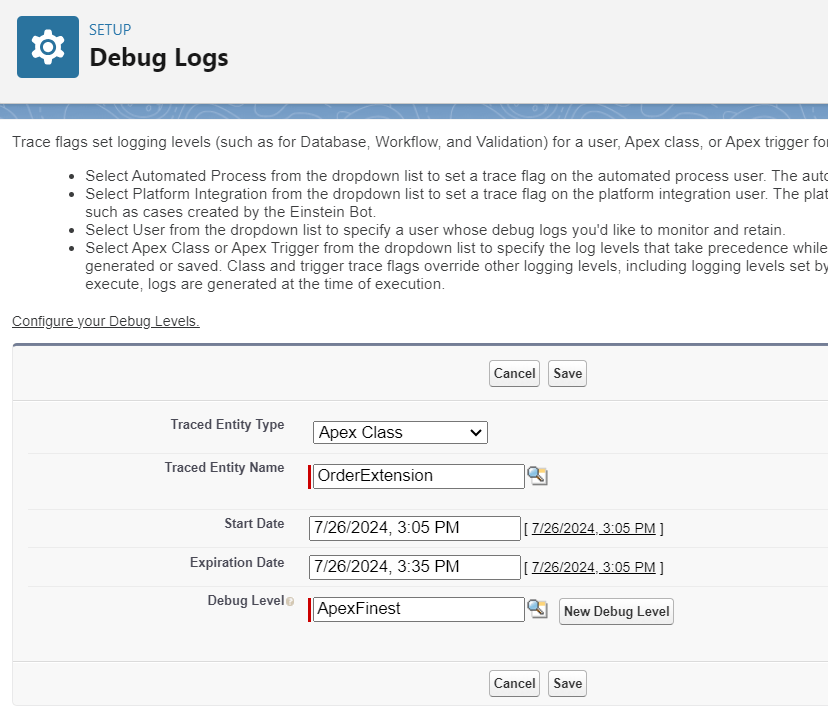
In summary, we are creating at least two debug levels here. One for the specific user that is logged in where the Apex log levels is set to info. Then a second log level for tracing one or more Apex class where Apex log levels are set to Finest.
Now when the logs are recorded, there should be much more limited information about the managed package code which is running since the Apex log levels are set to info for the running user.
 Cloud Code Insights